
X1Ticket can send real-time Discord notifications when release or drop tickets are detected. This allows you to monitor ticket availability instantly and react quickly.
Setting Up Discord Notifications
To enable Discord notifications, you need to configure a Discord webhook:
- Open your Discord server.
- Go to Server Settings → Integrations → Webhooks.
- Create a new webhook and copy the webhook URL.
- Click on Discord Notification from Top menu and past your Webhook URL and click save.
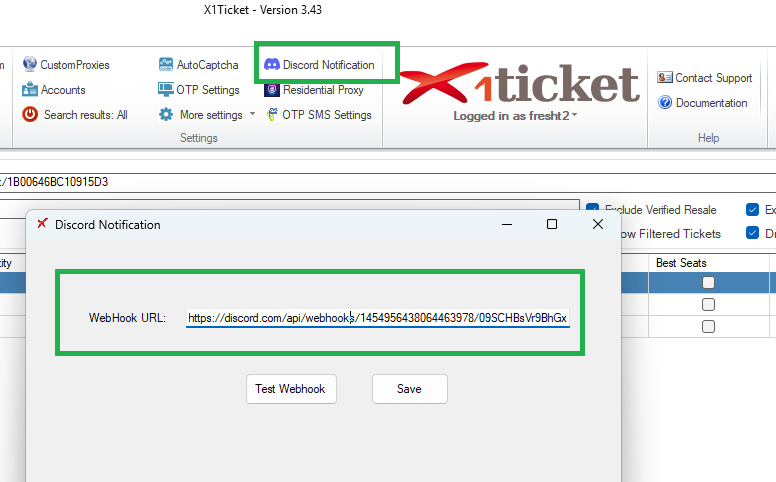
Enabling Release Notifications
Once your webhook is configured:
- Open your event in the Events Manager.
- Click Send Discord check box
- Save your configuration.
X1Ticket will now send a notification whenever release tickets are detected.
What Information Is Sent
Each notification typically includes:
- Event name
- Ticket price
- Quantity available
- Time detected
- Direct link


